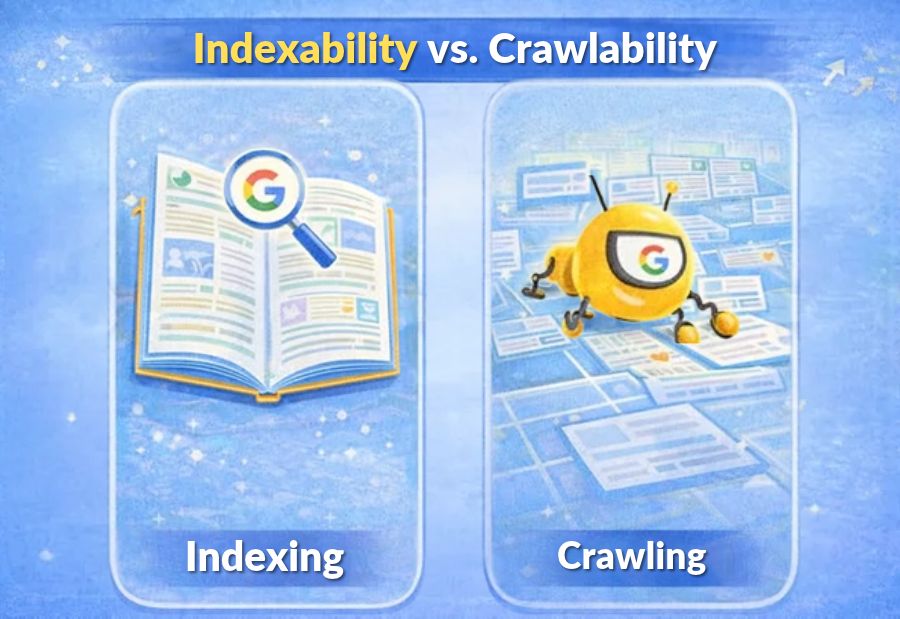
Indexability vs. Crawlability: Understanding Two Important Technical SEO Concepts
Search engines need to discover webpages and understand whether those pages should appear in search results. However, a website can have pages that search engines cannot crawl or pages they can crawl but do not index. Understanding indexability vs. crawlability helps SEO teams identify technical problems that may limit organic visibility. Tools such as Google Search Console and Screaming Frog SEO Spider help website owners investigate crawling and indexing issues. At Mercadeo, technical SEO analysis can help businesses improve website accessibility, content discovery and search performance.
What is crawlability in SEO?
Crawlability refers to a search engine’s ability to access and navigate a webpage through its automated crawler. Search engines discover URLs through links, sitemaps and other sources, then attempt to retrieve the page content.
If a page cannot be crawled, a search engine may struggle to understand its content and discover links on that page. However, a URL may sometimes be known to a search engine even when the page itself cannot be crawled.
Common crawlability problems include:
- Important pages blocked by robots.txt.
- Broken internal links that make pages difficult to discover.
- Server errors that prevent pages from loading.
- Redirect chains or loops that complicate access.
- Poor internal linking that leaves valuable pages difficult to find.
- Website infrastructure issues that affect crawler access.
Crawlability does not mean that every page must be crawled frequently. Search engines prioritise URLs based on several factors, including their understanding of the website and the value of the pages.
What is Indexability in SEO?
Indexability refers to whether a webpage is eligible to be included in a search engine’s index. After discovering and crawling a page, a search engine evaluates its content and other signals to decide whether to index it.
A page can be crawlable but not indexed. For example, a page may contain a noindex directive or be treated as a duplicate of another URL.
Common indexing issues include:
- A noindex meta tag or X-Robots-Tag HTTP header.
- Duplicate or substantially similar pages.
- Incorrect canonical tags pointing to another URL.
- Thin or unhelpful content that does not meet search needs.
- Pages returning unexpected status codes.
- Conflicting signals about which URL should be indexed.
Indexability is not a guarantee of inclusion in search results. Even when a page is accessible and eligible, search engines decide whether to index it.
Indexability vs. Crawlability: Key Differences
| Factor | Crawlability | Indexability |
| Meaning | Ability of a crawler to access a page | Eligibility of a page to be included in the index |
| Main concern | Can the search engine retrieve the page? | Can the page be considered for indexing? |
| Common issue | Robots.txt blocking or server errors | noindex, duplicate content or canonical conflicts |
| Useful checks | Robots.txt, server responses, internal links and crawl reports | Meta robots, HTTP headers, canonical tags and indexing reports |
| Main tools | Screaming Frog SEO Spider and server logs | Google Search Console and URL Inspection |
| Desired outcome | Important pages can be accessed and discovered | Valuable pages are eligible for indexing |
The two concepts are related, but they are not interchangeable. Crawlability concerns access, while indexability concerns inclusion in the index.
Can a page be crawlable but not indexable?
Yes. Consider a business website with a service page that loads correctly and can be accessed by search engine crawlers. If the page includes a noindex directive, search engines can crawl it but are instructed not to index it.
A similar situation can occur when a page has a canonical tag pointing to a different URL. Search engines may choose the canonical URL rather than index the page as a separate result.
This is why SEO teams should review page-level directives and canonical settings instead of assuming that successful crawling automatically leads to indexing.
Can a page be indexed without being crawlable?
A URL can sometimes appear in search results even when its content cannot currently be crawled. For example, a search engine may discover a URL through external links or other signals but be unable to retrieve its content.
In such cases, the search result may contain limited information. This is not the same as a page being fully crawled and indexed with its complete content.
If a valuable page is blocked from crawling, review whether the restriction is intentional. Do not assume that the presence of a URL in search results means that the page is being crawled successfully.
How to check crawlability issues
Use the following process to investigate whether search engines can access important pages.
1. Review Robots.txt
Check whether robots.txt blocks important sections of the website. Make sure useful public pages and resources are not unintentionally restricted.
Remember that robots.txt controls crawling; it is not a reliable way to prevent a URL from being indexed in every situation.
2. Test Internal Links
Use a website crawler to identify broken links, redirect destinations and pages with few or no internal links. Add relevant internal links to important pages so visitors and search engines can discover them more easily.
3. Check Server Responses
Confirm that important pages return the expected HTTP status code, usually 200 OK for accessible content. Investigate server errors, unexpected redirects and pages that return a not-found response.
4. Review Sitemap Coverage
Check that the XML sitemap contains the preferred URLs of important pages. A sitemap can support discovery, but it does not override crawl restrictions or guarantee indexing.
How to Check Indexability Issues
Once you have confirmed that important pages are accessible, review whether they are eligible for indexing.
1. Use Google Search Console URL Inspection
Inspect individual URLs to review Google’s reported indexing status, the last crawl where available and any detected indexing issues. Use the live test when appropriate to check the page’s current accessibility.
2. Review Robots Directives
Check the page’s meta robots tag and any X-Robots-Tag HTTP header. Remove unintended noindex directives from pages that should be eligible for search results.
3. Verify Canonical Tags
Confirm that each important page has the intended canonical URL. Investigate conflicting canonical tags, duplicate pages and differences between the canonical URL and the URL submitted in the sitemap.
4. Improve Content Quality
Make sure the page serves a clear purpose, answers the intended search query and offers useful information. Content improvements cannot guarantee indexing, but they can help make pages more valuable to users and search engines.
A Practical Technical SEO Checklist
Before troubleshooting a page that is missing from search results, follow this sequence:
- Confirm that the URL returns the expected response.
- Check whether robots.txt allows the required crawling.
- Review internal links and sitemap inclusion.
- Inspect meta robots tags and HTTP indexing directives.
- Verify canonical tags and duplicate URL variations.
- Use Google Search Console URL Inspection.
- Review content quality and whether the page offers distinct value.
- Monitor the page after making corrections.
At Mercadeo, using a consistent technical SEO review process can help teams identify whether a visibility issue relates to access, indexing eligibility or the page’s overall value.
Final Thought
Crawlability and indexability are two essential parts of technical SEO, but they address different questions. Crawlability determines whether search engine crawlers can access a page, while indexability concerns whether the page can be included in the search index.
When a page does not appear in search results, investigate both areas before making changes. A structured review of crawling access, robots directives, canonical tags, internal links and content quality can help identify the likely cause and guide the next steps. A consistent approach helps businesses maintain a healthier website and make better-informed SEO decisions.
ocus keyword
indexability vs crawlability
SEO title
Indexability vs. Crawlability: Key SEO Differences
Meta description
Learn the difference between indexability vs. crawlability, common technical SEO issues and how to check whether search engines can access and index your pages.
URL slug
indexability-vs-crawlability
Secondary keywords
crawlability in SEO, indexability in SEO, technical SEO issues, Google Search Console indexing, robots.txt, noindex tag, canonical tags, website crawling
Tags
Technical SEO, Indexability, Crawlability, Google Search Console, Website Indexing, SEO Audit
About The Author
