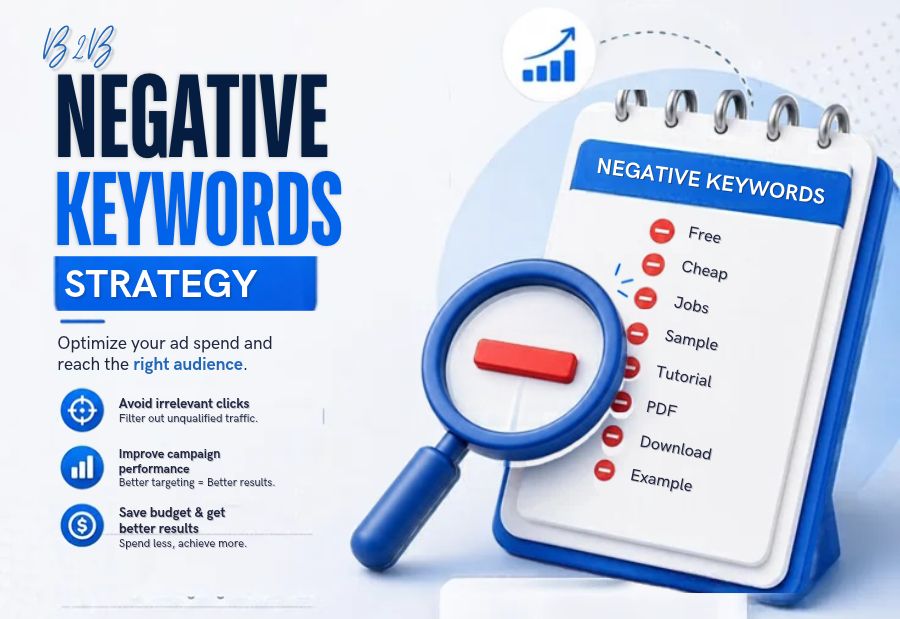
B2B Negative Keyword Strategy: Preventing Irrelevant Traffic in Paid Search Campaigns
Running paid search campaigns is not just about selecting keywords that attract potential customers. Businesses must also identify the search terms they do not want their advertisements to appear for. A well-planned B2B negative keyword strategy helps marketers reduce irrelevant clicks, improve audience targeting and make better use of advertising budgets. Platforms such as Google Ads provide negative keyword features that allow businesses to exclude searches that do not match their products, services or campaign objectives. Mercadeo focuses on data-driven B2B marketing activities that help businesses improve campaign relevance and lead generation.
What are negative keywords in Google Ads?
Negative keywords are terms that advertisers add to prevent their advertisements from appearing for specific irrelevant searches. Unlike regular keywords, which help trigger advertisements for relevant queries, negative keywords exclude searches that do not match the advertiser’s target audience or business offering.
For example, a company offering paid B2B software solutions may want to attract businesses searching for software providers, business solutions or enterprise platforms. However, searches containing terms such as “free download”, “jobs” or “salary” may indicate a different intent.
By excluding unsuitable search terms, marketers can focus advertising activity on audiences more likely to become potential customers.
Why does negative keyword strategy matter in B2B marketing?
B2B advertising campaigns often target specific industries, job roles, business requirements and purchasing needs. Without proper search term management, advertisements may appear for queries that generate clicks but have little commercial value.
A negative keyword strategy can help businesses:
- Reduce irrelevant clicks: Exclude searches unrelated to the products or services being promoted.
- Improve audience relevance: Focus campaigns on searches that better match the intended customer profile.
- Manage advertising budgets: Reduce spending on unsuitable search queries.
- Improve lead quality: Limit traffic from audiences that are unlikely to become qualified prospects.
- Strengthen campaign structure: Separate relevant search intent across different campaigns and ad groups.
Negative keywords do not guarantee higher conversions, but they can help reduce avoidable traffic and improve targeting decisions.
Common negative keywords for B2B Google Ads Campaigns
The right negative keywords depend on the business model, target audience and services being advertised. However, some search terms can be reviewed when building a B2B campaign.
| Search intent | Example negative keywords | Why consider excluding them? |
|---|---|---|
| Employment-related searches | jobs, careers, vacancies, salary | These searches may come from job seekers rather than potential customers |
| Free resources | free download, free PDF, free template | May attract users looking for resources instead of paid services |
| Educational searches | meaning, definition, examples, tutorial | May indicate informational rather than commercial intent |
| Unrelated audiences | personal use, student, school project | May not match the intended business audience |
| Irrelevant products | unrelated product names or services | May attract searches outside the company’s actual offering |
These are starting points for research, not a universal exclusion list. For example, “free trial”, “pricing” or “comparison” may represent valuable buying intent for some B2B businesses and should not be excluded automatically.
How to build an effective B2B negative keyword strategy
1. Analyse the Search Terms Report
Review the search terms report in Google Ads to understand the actual queries triggering advertisements. Identify searches that receive clicks but are unrelated to the advertised products or services. Use these findings to identify potential negative keywords.
2. Understand Search Intent
Do not exclude a keyword simply because it contains a particular word. Review the complete search query and determine whether the user is researching, comparing, learning or looking to purchase a business solution.
For example, someone searching for “B2B lead generation agency pricing” may have strong commercial intent, while someone searching for “lead generation jobs” is likely looking for employment.
3. Use Appropriate Negative Match Types
Google Ads supports three negative keyword match types for Search campaigns:
- Negative broad match: Prevents an ad from appearing when a search contains all the negative keyword terms, regardless of their order.
- Negative phrase match: Excludes searches containing the specified phrase in the same order, even when additional words are included.
- Negative exact match: Excludes searches containing the exact keyword terms in the same order without additional words.
These match types work differently from positive keyword match types. Negative keywords also do not automatically cover close variants, synonyms or singular and plural forms. Marketers should review relevant variations separately.
4. Create Negative Keyword Lists
Businesses running multiple campaigns can organise common exclusions into negative keyword lists. For example, employment-related terms can be maintained in one list, while unrelated product categories can be maintained in another.
Google Ads allows these lists to be applied to relevant campaigns, making it easier to manage exclusions consistently.
5. Review and Update Exclusions Regularly
Search behaviour changes over time, and new irrelevant queries may appear as campaigns receive more traffic. Marketers should review search terms regularly, identify new exclusions and remove negative keywords that unnecessarily restrict relevant searches.
Common negative keyword mistakes to avoid
Even a well-planned exclusion strategy can affect campaign performance when applied incorrectly.
- Adding broad negative keywords without checking their impact.
- Excluding commercially valuable terms such as pricing or comparison.
- Using the same negative keyword list across unrelated campaigns.
- Ignoring variations in search terms.
- Failing to review search term reports after campaign changes.
- Adding negative keywords that overlap with important target keywords.
The objective should be to remove irrelevant traffic without restricting potential customers who are actively looking for a business solution.
Final Thought
A successful B2B paid search campaign requires more than selecting the right keywords. Businesses must also understand which searches do not match their target audience and manage those exclusions carefully.
A structured B2B negative keyword strategy helps marketers improve search relevance, control unnecessary advertising spend and focus on more meaningful business enquiries. By reviewing search terms, understanding buyer intent and updating negative keyword lists regularly, businesses can build more efficient Google Ads campaigns. Mercadeo supports data-driven marketing strategies that connect paid advertising activities with relevant audience targeting and lead generation.
About The Author
