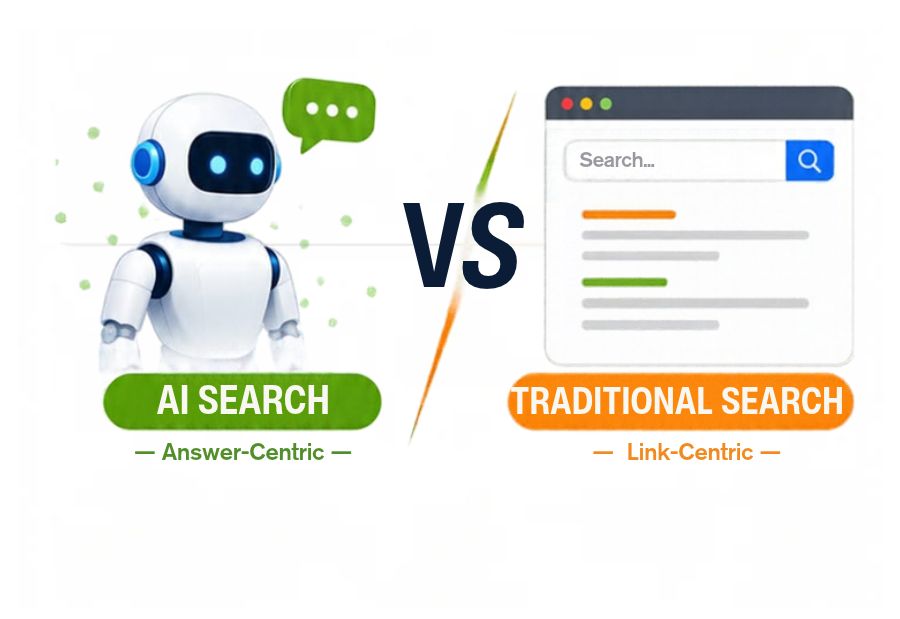
AI Search Crawlers vs. Traditional Search Crawlers: What Website Owners Should Know
Search engines have traditionally used automated crawlers to discover webpages, process information and build search indexes. With the growth of AI-powered search, website owners now need to understand another category of automated visitors: AI search crawlers. These bots can help AI-powered platforms discover website content for search experiences and other purposes. Understanding AI search crawlers vs. traditional search crawlers is important for managing website accessibility, technical SEO and online visibility. Mercadeo helps businesses connect website optimisation with changing digital discovery requirements.
Although both types of crawlers access website content, their purposes, user agents and content usage policies can differ.
What Are Traditional Search Crawlers?
Traditional search crawlers are automated programs used by search engines to discover and access webpages. They follow links, read website content and collect information that can be processed for search indexing.
For example, Googlebot is Google’s crawler for Google Search. It visits accessible webpages, processes their content and helps Google understand which pages may be relevant to users’ queries.
Traditional search engines generally follow a process involving three stages:
- Crawling: Discovering webpages and downloading their content.
- Indexing: Analysing and storing information about eligible pages.
- Serving results: Selecting relevant information when users perform searches.
Crawling does not guarantee indexing, and indexing does not guarantee that a page will appear prominently in search results.
What Are AI Search Crawlers?
AI search crawlers are automated bots used by AI-powered platforms to discover or retrieve website information for AI-related search experiences.
Their functions vary by platform. Some crawlers help make webpages available in search results, while others may collect publicly accessible content for model training or other purposes.
For example, OpenAI identifies separate crawlers for different functions:
- OAI-SearchBot: Used to surface websites in ChatGPT search features.
- GPTBot: Used to crawl content that may be used to improve generative AI foundation models.
These crawlers have different purposes and can be managed separately through website crawling instructions.
This distinction is important because allowing a platform’s search crawler does not necessarily mean a website owner must allow its training-related crawler.
AI Search Crawlers vs. Traditional Search Crawlers: Key Differences
1. Primary Purpose
Traditional search crawlers primarily discover and process webpages for search engine indexing and retrieval.
AI search crawlers may support AI search results, information retrieval, model development or other platform-specific functions. Their purpose depends on the crawler and the company operating it.
2. Content Usage
Traditional search crawlers access website content to support the search engine’s indexing and ranking processes.
AI-related crawlers may access content for search retrieval or model training, depending on the bot’s purpose. Website owners should check each platform’s official crawler documentation instead of assuming that all AI bots use information in the same way.
3. Crawler Identification
Traditional search engines have identifiable crawlers such as Googlebot and Bingbot.
AI platforms also use specific user-agent names. Examples include OAI-SearchBot and GPTBot from OpenAI.
Website owners can review server logs to identify crawler requests and investigate how frequently different bots access their websites.
4. Robots.txt Controls
The robots.txt file provides instructions to compliant crawlers about which website paths they can access.
Website owners can use user-agent-specific rules to manage access for different crawlers. However, robots.txt is not a security mechanism, and it does not prevent unauthorised visitors from accessing publicly available content.
5. Impact on Search Visibility
Traditional search crawlers support the discovery and indexing processes behind conventional search results.
AI search crawlers can help make website information available to AI-powered search experiences. For example, OpenAI states that websites opting out of OAI-SearchBot will not be shown in ChatGPT search answers, although they may still appear as navigational links.
Allowing a crawler does not guarantee that a website will be cited, recommended or included in an AI-generated response.
Important Search and AI Crawlers Website Owners Should Know
| Crawler | Platform | General purpose |
| Googlebot | Crawling for Google Search | |
| Bingbot | Microsoft Bing | Crawling for Bing Search |
| OAI-SearchBot | OpenAI | Discovering websites for ChatGPT search |
| GPTBot | OpenAI | Crawling content that may be used for model training |
| ChatGPT-User | OpenAI | User-triggered access to webpages, subject to product behaviour |
Not all AI platforms use the same crawler names or policies. Website owners should consult official documentation for each platform before changing crawler permissions.
6 Ways to Prepare Your Website for AI and Traditional Search Crawlers
1. Review Your Robots.txt File
Check whether important website sections are accessible to the search and AI crawlers you want to support. Avoid blocking essential content accidentally.
For example, review rules for Googlebot, Bingbot and relevant AI search crawlers before making changes.
2. Check Website Indexability
Ensure important pages do not contain unintended noindex directives or conflicting canonical tags. Use Google Search Console to review indexing status and identify pages that are not eligible for search results.
3. Maintain a Clear Website Structure
Use descriptive URLs, logical categories, relevant internal links and XML sitemaps. These elements help crawlers discover important webpages more efficiently.
4. Keep Important Content Accessible
Make sure essential information is available in readable text rather than relying entirely on images, scripts or content that requires user interaction.
5. Monitor Server Logs
Review server logs to identify crawler requests, response codes, access patterns and repeated errors. This can help detect blocked crawlers, server issues and unusual automated traffic.
6. Verify Crawler Identity
Do not trust every request simply because its user-agent claims to be Googlebot or another recognised crawler. Some automated visitors can imitate legitimate user-agent names.
Where necessary, verify crawler identity using the platform’s published IP ranges or reverse DNS verification procedures.
Common Mistakes to Avoid When Managing Crawlers
Website owners can create visibility problems by blocking useful crawlers without understanding their purpose. Other common mistakes include allowing unnecessary bots without reviewing their usage, using incorrect robots.txt syntax and assuming that crawler access guarantees indexing or AI citations.
Another important mistake is treating robots.txt as a way to protect confidential information. Publicly accessible pages can still be visited by bots that do not follow these instructions. Sensitive information should be protected through proper authentication and access controls.
Final Thought
AI search crawlers and traditional search crawlers play different roles in website discovery and content access. Traditional crawlers support conventional search indexing, while AI-related crawlers may support search experiences, model training or other platform functions.
Website owners should understand the purpose of each crawler, review robots.txt permissions, monitor server logs and maintain technically accessible content. Mercadeo can help businesses align technical SEO and content optimisation with evolving search requirements, supporting visibility across traditional and AI-powered discovery platforms.
About The Author
