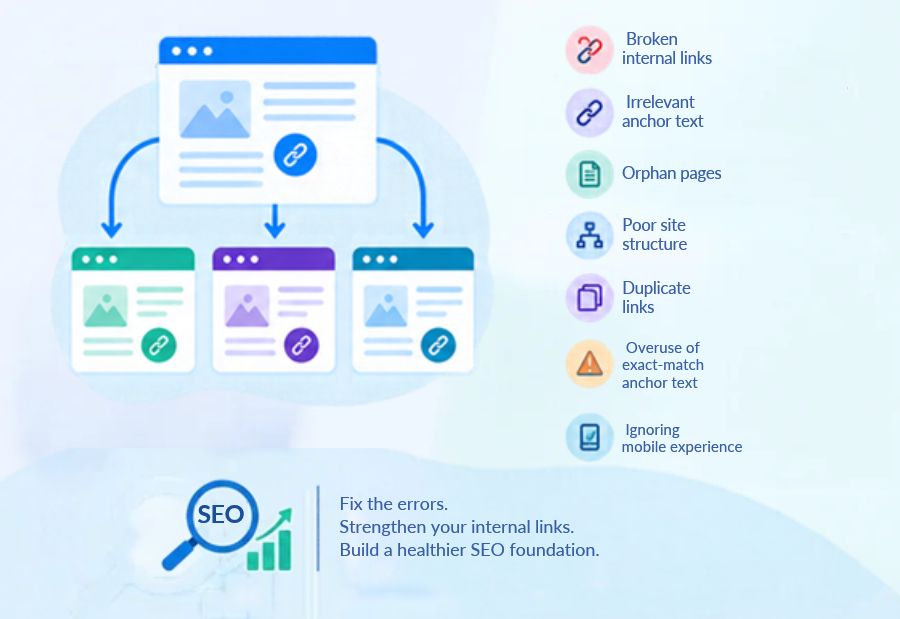
7 Internal Linking Errors That Can Hurt Your Website’s SEO Performance
Internal linking helps search engines discover website pages and understand how content is connected. It also guides visitors to related information and helps them navigate a website more easily. Tools such as Google Search Console and Semrush help SEO teams identify linking opportunities and monitor website performance. However, poorly planned links can make important pages harder to find and weaken the overall user experience. At Mercadeo, reviewing internal links can be part of a wider SEO strategy that helps businesses improve website structure, content discovery and organic visibility.
Why internal linking matters for SEO
Internal links connect one page of a website to another page on the same domain. They help search engines discover URLs, understand relationships between topics and identify pages that may be important within the website.
For visitors, internal links provide useful next steps. Someone reading a blog about keyword research, for example, may benefit from a link to a guide on content optimisation or SEO reporting.
A strong internal linking structure supports navigation, distributes link equity across relevant pages and helps users find information without returning to the main menu or searching again.
7 Internal linking errors to avoid
1. Leaving important pages without internal links
An orphan page is a page that has no internal links pointing to it. Search engines may discover it through a sitemap or external link, but visitors and crawlers can have more difficulty finding it through the website’s normal structure.
Important service pages, landing pages and useful blog posts should receive links from relevant pages. Add contextual links from related articles, category pages, or other suitable sections of the website.
2. Using generic anchor text
Anchor text is the clickable text that takes a visitor to another page. Phrases such as “click here,” “read more,” or “visit this page” often provide little information about the destination.
Use descriptive anchor text that explains what readers can expect. For example, instead of writing “click here for more details,” use “learn more about technical SEO audits” when that accurately describes the linked page.
Anchor text should sound natural and reflect the destination. Avoid repeating the same exact-match keyword in every link.
3. Adding links that do not match the context
Internal links should help readers explore a topic further. Linking a blog about email marketing to an unrelated page about website hosting may interrupt the reading experience and provide little value.
Before adding a link, check whether the destination answers a related question, explains a useful concept, or supports the next step in the reader’s journey. Relevant internal links are more useful than adding links simply to increase their number.
4. Linking too many times to the same page
Repeatedly linking to the same destination within a short section can distract readers and make content look over-optimised. It may also reduce the usefulness of individual links.
There is no universal ideal number of internal links for every page. The right number depends on content length, page purpose and user needs. Include links where they genuinely support the information and remove unnecessary repetitions.
5. Ignoring broken internal links
A broken internal link leads to a missing page, an incorrect URL, or an error page. These links create a poor user experience and can waste users’ time.
Broken links often appear after a page is deleted, a URL is changed, or a website is migrated. Review important pages periodically and update links to the correct destinations. If a page has permanently moved, use a suitable redirect where appropriate and update internal links to point directly to the new URL.
SEO crawling tools can help identify broken links across large websites.
6. Linking only to new content
New blog posts often receive attention, while older but valuable pages are left without relevant links from recently published content. This can make it harder for users to discover useful resources.
Review older articles when publishing new content. If a previous page provides additional information, add a contextual link to it. Also revisit older articles to link to newer resources when they add genuine value.
This creates a connected content structure and helps readers explore related subjects.
7. Failing to review internal links after website changes
Website redesigns, URL updates, content removals and navigation changes can affect internal links. A link that worked before a migration may point to an outdated URL afterward.
Include internal link checks in the website maintenance process. Review key landing pages, navigation links, blog posts and category pages after significant updates. Confirm that links lead to the intended destinations and that redirected URLs are not used unnecessarily when the final URL is available.
How to audit your website’s internal links
A structured internal linking audit can help identify problems and prioritise fixes. Follow these steps:
- Crawl the website: Use a site crawler to find internal links, broken URLs, redirect chains and pages with few or no internal links.
- Review key pages: Check whether important service pages, landing pages and high-value articles receive links from relevant content.
- Check anchor text: Replace unclear wording where more descriptive text would help users understand the destination.
- Review contextual relevance: Make sure each link supports the topic and provides a useful next step.
- Fix technical issues: Update broken URLs, correct unnecessary redirects and restore links to important pages.
- Monitor performance: Use Google Search Console and website analytics to review indexing, organic traffic and engagement trends after improvements.
Tools such as Screaming Frog SEO Spider and Google Search Console can support different parts of the review. A crawler is useful for mapping website links and finding technical issues, while Search Console provides search visibility and indexing information.
Best practices for a strong internal linking structure
Build links around clear topic relationships rather than adding them randomly. Link from relevant, established pages to important resources, use descriptive anchor text and keep navigation straightforward. Make sure important pages are accessible through logical paths and that links work on both desktop and mobile devices.
Review internal links whenever content is updated, URLs change, or new articles are published. Prioritise links that help users reach useful information and make the website easier to understand.
Final Thought
Internal linking is a practical part of maintaining a well-structured website. Errors such as orphan pages, broken URLs, vague anchor text and irrelevant links can make content harder to discover and use. Regular audits help businesses identify these issues and improve the connections between related pages. Mercadeo can help businesses approach SEO through structured content, website reviews and data-informed optimisation that supports a better user experience and long-term organic growth.
About The Author
