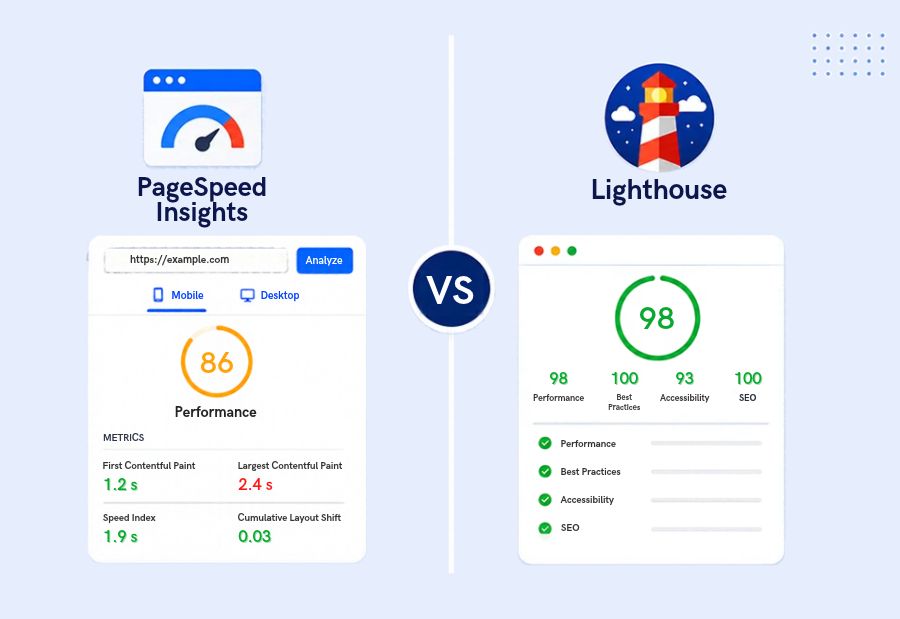
Google PageSpeed Insights vs. Lighthouse: Features and Key Differences
Website speed affects how visitors experience a website, especially on mobile devices. Tools such as Google PageSpeed Insights and Lighthouse help teams identify performance problems and improve page quality. However, they serve slightly different purposes. Understanding PageSpeed Insights vs Lighthouse helps marketers, developers, and SEO teams choose the right tool for website analysis. Mercadeo can use these insights to connect technical improvements with better digital experiences.
What is Google PageSpeed Insights?
Google PageSpeed Insights is a web performance tool that analyses a URL and provides information about loading speed, user experience, and opportunities for improvement.
One of its key advantages is that it combines two types of data when available:
- Field data: Real-world user experience data from the Chrome User Experience Report (CrUX), when sufficient data exists for the page or origin.
- Lab data: A controlled Lighthouse audit that helps identify potential performance problems during testing.
PageSpeed Insights also reports Core Web Vitals, including Largest Contentful Paint (LCP), Interaction to Next Paint (INP), and Cumulative Layout Shift (CLS), when the relevant field data is available.
Best Uses of PageSpeed Insights
- Check a public webpage’s performance on mobile and desktop.
- Review Core Web Vitals and real-user experience data when available.
- Identify opportunities to improve loading, responsiveness, and visual stability.
- Share performance reports with developers, marketers, and website owners.
What is Lighthouse?
Lighthouse is an open-source tool for auditing web pages. It can evaluate performance, accessibility, best practices, and SEO. Depending on the setup and configuration, it can also support additional audits.
Teams can run Lighthouse through Chrome DevTools, the command line, or automated workflows. This makes it useful for developers who want to test pages during development and track changes over time.
Best Uses of Lighthouse
- Run detailed audits while developing or updating a website.
- Investigate performance problems under controlled conditions.
- Check accessibility and technical SEO basics.
- Automate audits as part of development and quality-assurance workflows.
- Compare test results after code changes.
Lighthouse scores can vary between runs because of network conditions, device performance, and other testing factors. Teams should avoid treating one score as a complete measure of website quality.
PageSpeed Insights vs Lighthouse: Key Differences
| Feature | PageSpeed Insights | Lighthouse |
| Main purpose | Analyse page performance and user experience | Audit page quality and identify technical issues |
| Field data | Shows CrUX data when available | Standard Lighthouse audits use lab data |
| Lab audits | Includes a Lighthouse report | Runs configurable audits directly |
| Core Web Vitals | Shows real-user metrics when sufficient field data exists | Lab results help diagnose issues but do not replace field data |
| Accessibility | Not its main focus | Includes accessibility audits |
| SEO checks | Limited technical SEO audit information | Includes basic SEO audits |
| Automation | Convenient URL-based reports | Supports command-line and automated testing |
| Best suited for | Marketers, SEO teams, and website owners | Developers, QA teams, and technical SEO specialists |
Which Tool Should SEO Teams Use?
Choose PageSpeed Insights when you need a quick overview of a live page, particularly its available real-user data and recommended improvements. It is useful for communicating performance concerns to stakeholders and deciding which pages need further investigation.
Choose Lighthouse when you need to investigate technical issues, audit accessibility, test changes, or integrate website checks into a development workflow.
For example, if a landing page loads slowly, PageSpeed Insights can show whether field data indicates a user-experience problem. Lighthouse can then help developers investigate possible causes, such as large images, render-blocking resources, or excessive JavaScript.
How to Use Both Tools Together
A combined workflow gives teams a more complete view of website performance.
- Start with PageSpeed Insights: Review mobile and desktop reports for priority pages.
- Check field data: Determine whether real-user data is available and whether Core Web Vitals meet the recommended thresholds.
- Run Lighthouse audits: Investigate possible causes of performance problems.
- Implement changes: Optimise images, reduce unnecessary JavaScript, and improve resource loading where appropriate.
- Test again: Repeat audits under comparable conditions.
- Monitor real users: Review field data over time to understand whether changes improve actual experiences.
Mercadeo can use this process to help marketing teams prioritise technical improvements that support user experience and website performance.
Final Thought
PageSpeed Insights and Lighthouse are complementary tools rather than direct replacements for each other. PageSpeed Insights brings field data and lab diagnostics together in an accessible report, while Lighthouse offers flexible audits for deeper testing and development workflows.
The best choice depends on the task. Use PageSpeed Insights to understand a page’s performance, and use Lighthouse to investigate and test improvements. Together, they help teams make more informed website optimisation decisions.
About The Author
